

We get the message at least once a week now.
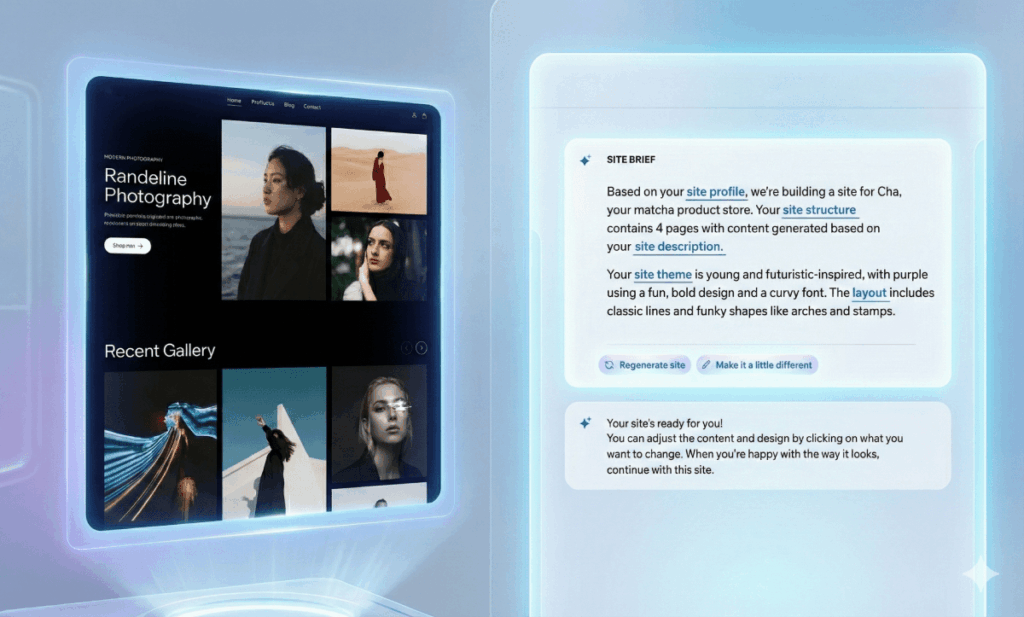
Usually, it comes from an excited marketing team. They send us a link to a project they built on Lovable, Base44, Replit, or v0 in a single afternoon. They are excited, and rightfully so. They typed a prompt, and a fully formed interface appeared.
It usually goes a little something like this:
“We built a landing page on Lovable. It looks great. Can we just connect it to our main site and go live?”
The short answer? It depends on how you want to manage it.
The technology isn’t quite there yet (as of December 2025) to seamlessly “sync” raw AI code to a professional CMS (like WordPress) without some manual work. But the strategic answer is: “You haven’t built a finished product—you’ve built a powerful 30% start.”
Here is a breakdown of the current reality for AI-generated projects—whether it’s a landing page, a calculator, or a full site—and the three paths we can take to get it live.
1. The Mobile Reality (Desktop Bias)
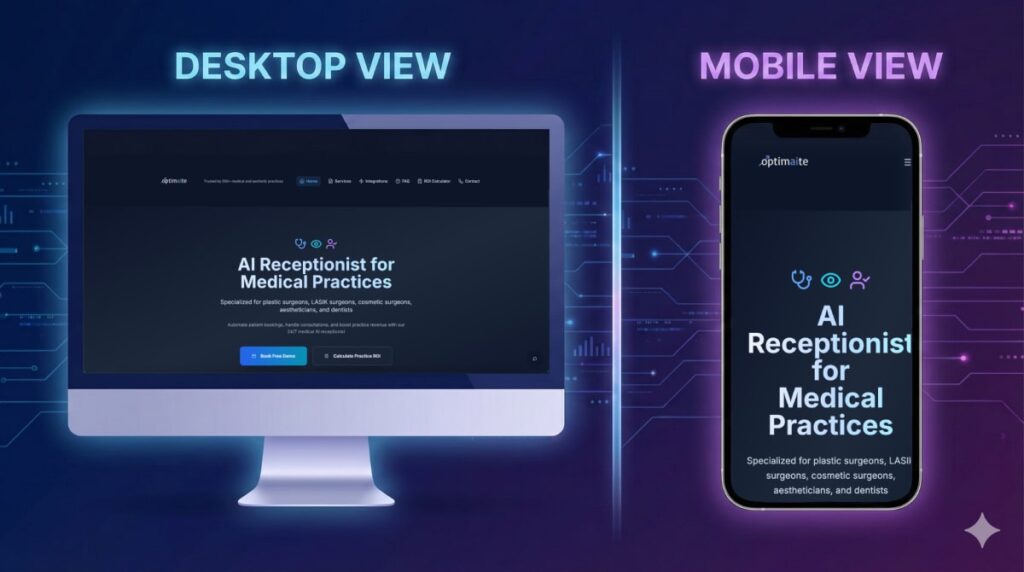
AI website builders are incredible at generating layouts, but they currently have a “Desktop Bias.” They prioritize the wide-screen view because that is where the visual impressiveness lives.
When you open your AI prototype on a laptop, it often looks perfect. But on an iPhone (where 60%+ of your ad traffic comes from), you might notice:
- Typography crashes: Headlines overlapping into each other or breaking words incorrectly.
- Layout drift: Buttons floating off-screen or becoming unclickable.
- Grid failure: Elements stacking in illogical orders.
The Fix: This isn’t a “failure,” it’s just the first draft. We simply need to go into the code and adjust the responsive breakpoints to ensure the experience is just as premium on a 6-inch screen as it is on a 27-inch monitor.
2. The Publishing Dilemma (How to Go Live)
This is the biggest question we face: “How do we get this code onto our domain?”
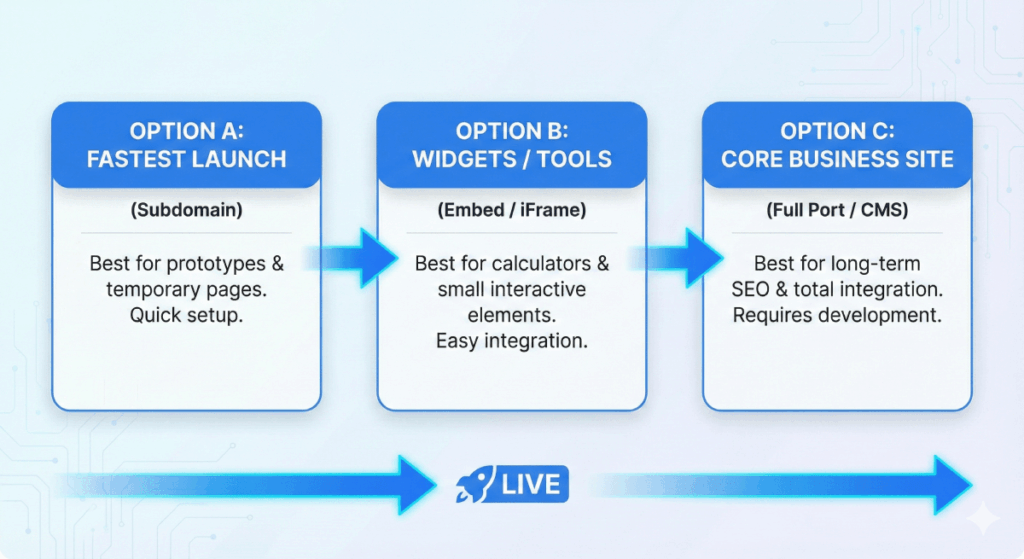
Right now, you can’t just click “Publish to WordPress.” However, you have three solid options, each with its own trade-offs.
Option A: The Subdomain (Fastest)
We publish the AI site to a separate URL, like landing.yourcompany.com.
- Pros: Very fast to launch. You can often keep using the AI tool to make edits.
- Cons: It lives on a separate server, so we need to be careful with tracking (Analytics/GTM) to ensure data isn’t lost between your main site and this page.
Option B: The Embed / iFrame (Easiest for Widgets)
If you built a calculator or a small tool, we can “embed” it inside a page on your main site, just like a YouTube video.
- Pros: Great for interactive widgets. It sits inside your existing branding.
- Cons: Not great for full landing pages. Search engines (Google) sometimes struggle to read content inside iFrames, and scrolling can be tricky on mobile.
Option C: The Rebuild / Port (Best for Core Pages)
We take the design and code you generated and “port” it into your main CMS (WordPress, HubSpot CMS, Webflow, etc.).
- Pros: Total integration. Best for SEO. Your marketing team can edit text/images directly in the CMS they already know.
- Cons: It breaks the link to the AI tool (you can’t use the AI to edit it anymore), and it requires upfront developer time to set up.
3. The Integration Check (Wiring the Pipes)
Visually, your AI prototype has a form. Functionally, it’s usually just a picture of a form until we wire it up.
To make sure you don’t lose leads, we run a quick Integration Checklist:
- CRM Connection: Does hitting “Submit” actually send the lead to Salesforce/HubSpot? (AI usually mocks this up but doesn’t connect the API).
- Spam Protection: Does it have ReCaptcha to stop bots?
- Accessibility: Is the contrast high enough for readability? Can a keyboard user navigate it? (Crucial for B2B compliance).
The Bottom Line
We love that you are using these tools.
They are the ultimate accelerators for your creativity. They allow you to visualize exactly what you want in minutes, skipping weeks of design meetings and mockups.
But the reality is that most AI-generated webpages are only 30% production-ready. The remaining 70% requires a human expert to handle the invisible work:
- Responsive Repair: Ensuring it works on every device.
- SEO Structure: Fixing heading tags and metadata so Google can read it.
- Brand Consistency: Tweaking fonts, colors, and UI elements to perfectly match your brand guidelines.
- Integrations: Ensuring forms and tracking pixels are wired correctly.
You have built a powerful start. Now, let’s bring in the experts to finish the job and turn it into a live asset that drives revenue.
🚀 Ready to take your AI experiment to production?
Don’t let that prototype sit in a sandbox. Send us the link. We’ll perform a free audit to review your project and give you a clear roadmap—whether that means embedding, hosting on a subdomain, or rebuilding for scale.
Frequently Asked Questions
It depends on how you publish it. If you use the “Embed/iFrame” method, it is very difficult for Google to read your content, which hurts your rankings. If you use the “Port/Rebuild” method where the code is properly integrated into a CMS like WordPress, it can rank just as well as any custom-coded site.
Not directly. AI generators usually provide “React” or “HTML/Tailwind” code. WordPress operates on PHP and specific theme structures. While you can paste HTML into a custom block, it often breaks the site’s styling. You need a developer to “translate” that AI code into a WordPress theme.
AI models are currently trained heavily on desktop interfaces. They often lack the logic for “responsive design”—the rules that tell a button to shrink or move when the screen gets smaller. This is why we call AI code a “30% start”; the remaining work is largely fixing these mobile experience gaps.