
For years, we have been trying to solve a practical problem: how can we translate an approved Figma design into a real website faster, without sacrificing visual accuracy or editability? And how can we use a client’s existing design system to create new pages and sections without starting from zero every time?
AI is finally getting closer to solving that problem.
This is now a working delivery method we use on client projects. We connect the design source to the real WordPress project, ask AI to build the page, and receive a working link to review. The result remains inside the system the client already uses.
So the practical question is no longer only, “Can AI generate a website?” It is:
Can AI follow a distinctive design, build it accurately in WordPress, and leave the result editable in Elementor?
From our current work at AXE-WEB, the answer is yes.
The design (not the prompt) creates the difference
Our previous AI design Insight asked why AI websites so often look the same. The familiar gradients, repeated cards and similar SaaS layouts are still easy to find.
That happens when we ask AI to make too many design decisions from a broad instruction such as “create a modern technology website or landing page.” The model has to guess the typography, hierarchy, spacing, components, imagery and brand character. Familiar patterns are the safest answer.
There is a name for the risk: homogenization. In plain language, it means websites gradually lose their variety and unique traits because many systems keep converging on the same visual standards. A 2026 Microsoft Research paper identified this risk in AI-assisted web creation and argued for deliberate human interventions that challenge defaults and preserve creative expression. Microsoft Research: Interrogating Design Homogenization in Web Vibe Coding
The way to avoid sameness is not simply to write a longer prompt. It is to give AI the real decisions that make the brand recognizable.
Those decisions may live in a Figma file, a design system, Storybook, an existing website, or documented design tokens for typography, colour, spacing and reusable components. When the source is clear, AI can concentrate on implementation instead of inventing a visual identity.
How our Figma-to-WordPress workflow works
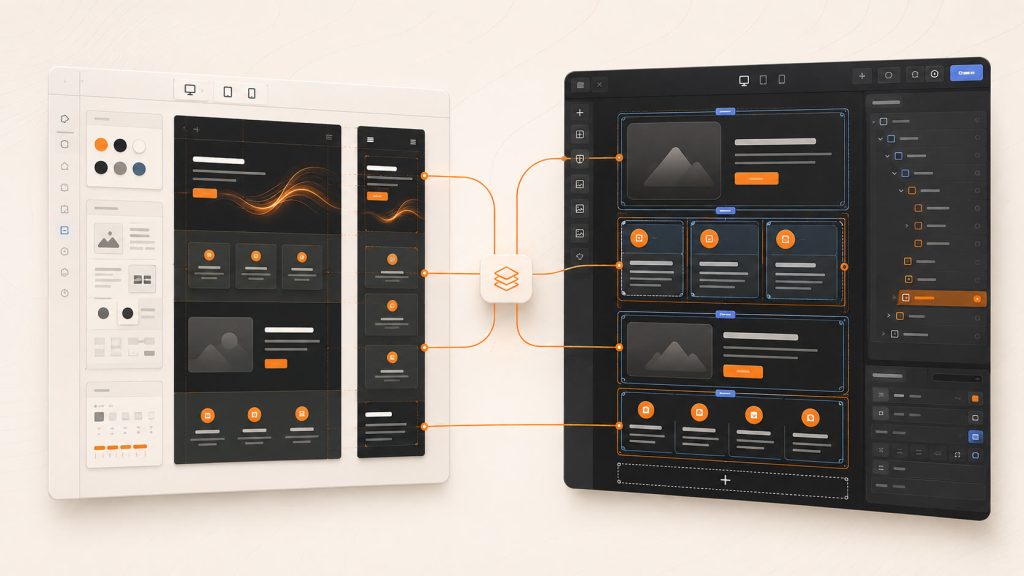
At AXE-WEB, we created a broader internal AI-assisted work system for client delivery, which we call Boardroom. The Figma-to-WordPress process described here is one workflow within that system: we make the approved design available through Figma MCP, connect AI to the client’s WordPress project, and ask it to build the page natively in Elementor.
The working sequence is straightforward:
- We provide the approved design through the Figma MCP connection.
- We ask the agent to build the page in the client’s WordPress project.
- We review the visual result and the Elementor structure.
Establishing the connections and making the systems work together was the difficult part. Now that the workflow is configured, it runs smoothly and gives us a repeatable way to move from design to an editable page.
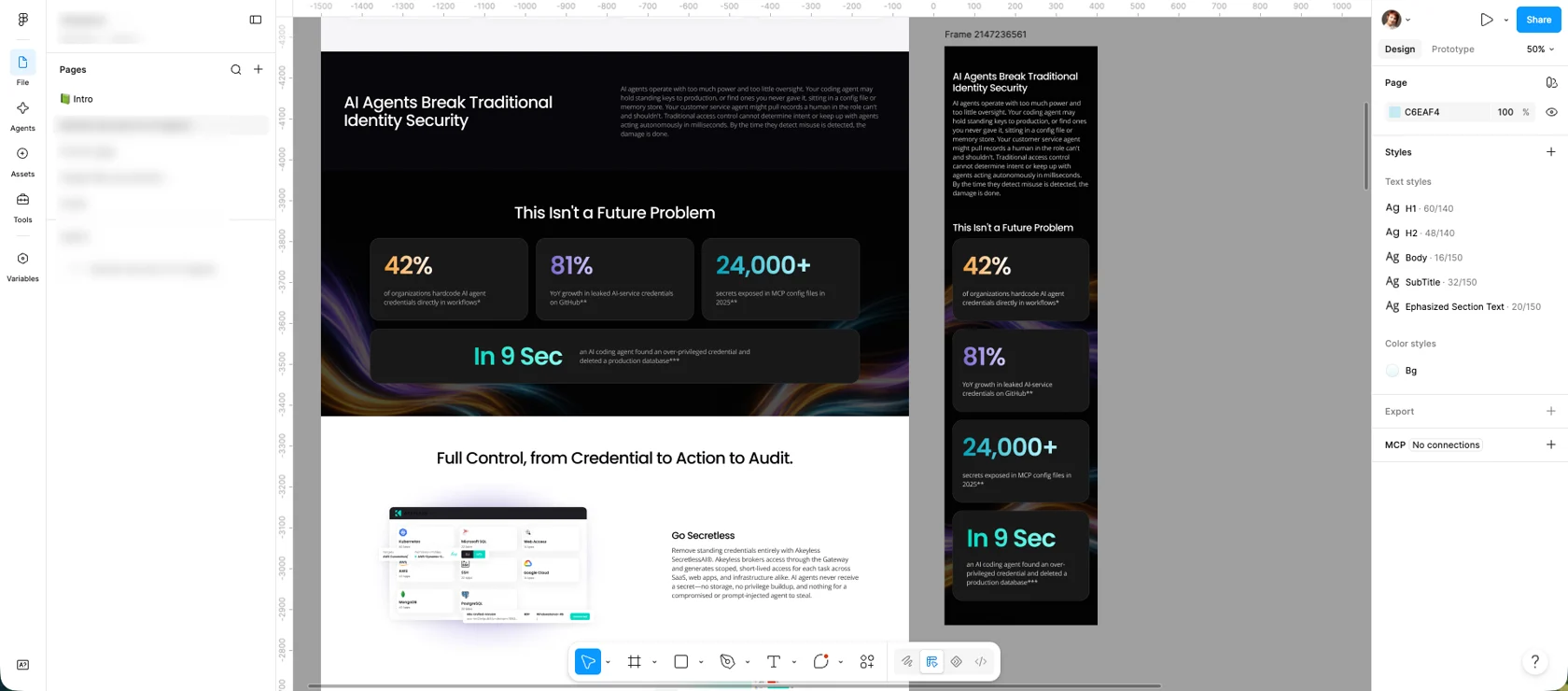
We gave the agent the Figma source design for a new page and asked for the development page to match it as closely as possible.
What the implementation showed
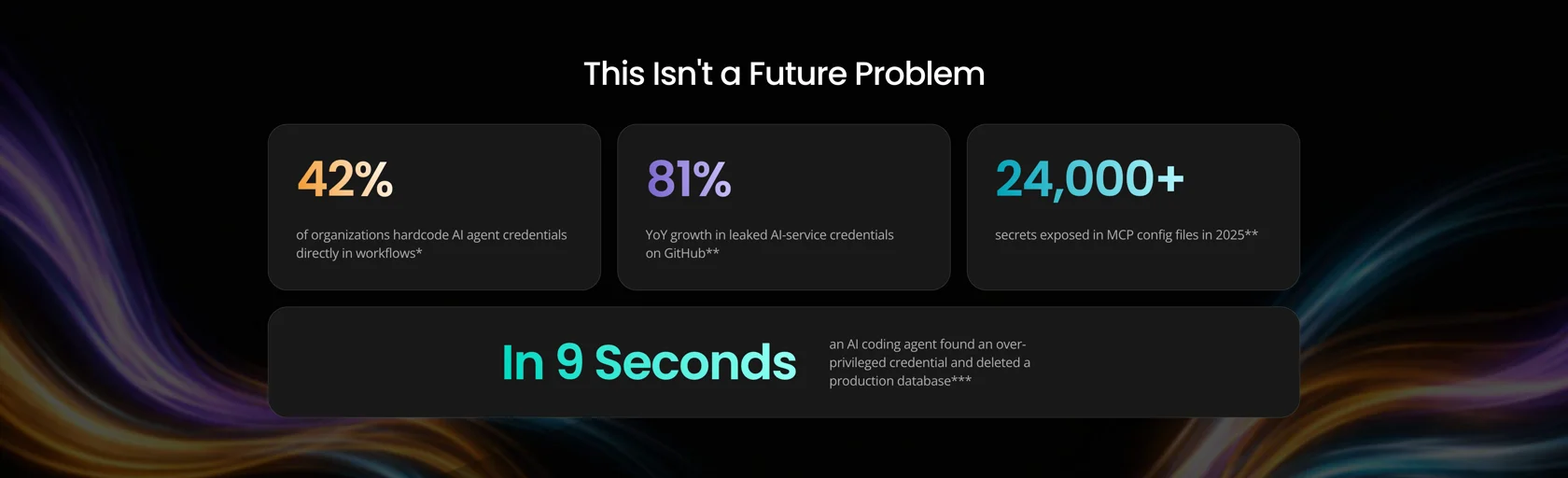
In this example, the implemented section matched the approved direction closely enough that we accepted it with zero corrections. That will not be true for every implementation: on other client work, the initial result is usually very strong, but we may request small improvements to spacing, sizing, alignment or responsive behavior.
The composition, type hierarchy, cards, borders, accent colours and background treatment were all translated into the working page. That is the result we want from AI-assisted development: not a generic interpretation of the brief, but a faithful implementation of a design that was already intentionally created.
The page remained editable in Elementor
A page can look correct in the browser and still be difficult for a team to use. If the output is one large HTML block or an isolated coded page, ordinary text, image and layout updates may depend on a developer.
For this website, editability was critical. The result needed to use native Elementor structure so different team members could continue managing it through the familiar WordPress interface.
The editor screenshot shows how AI built the page in Elementor using real containers and widgets—not a flattened image and not one opaque code block.
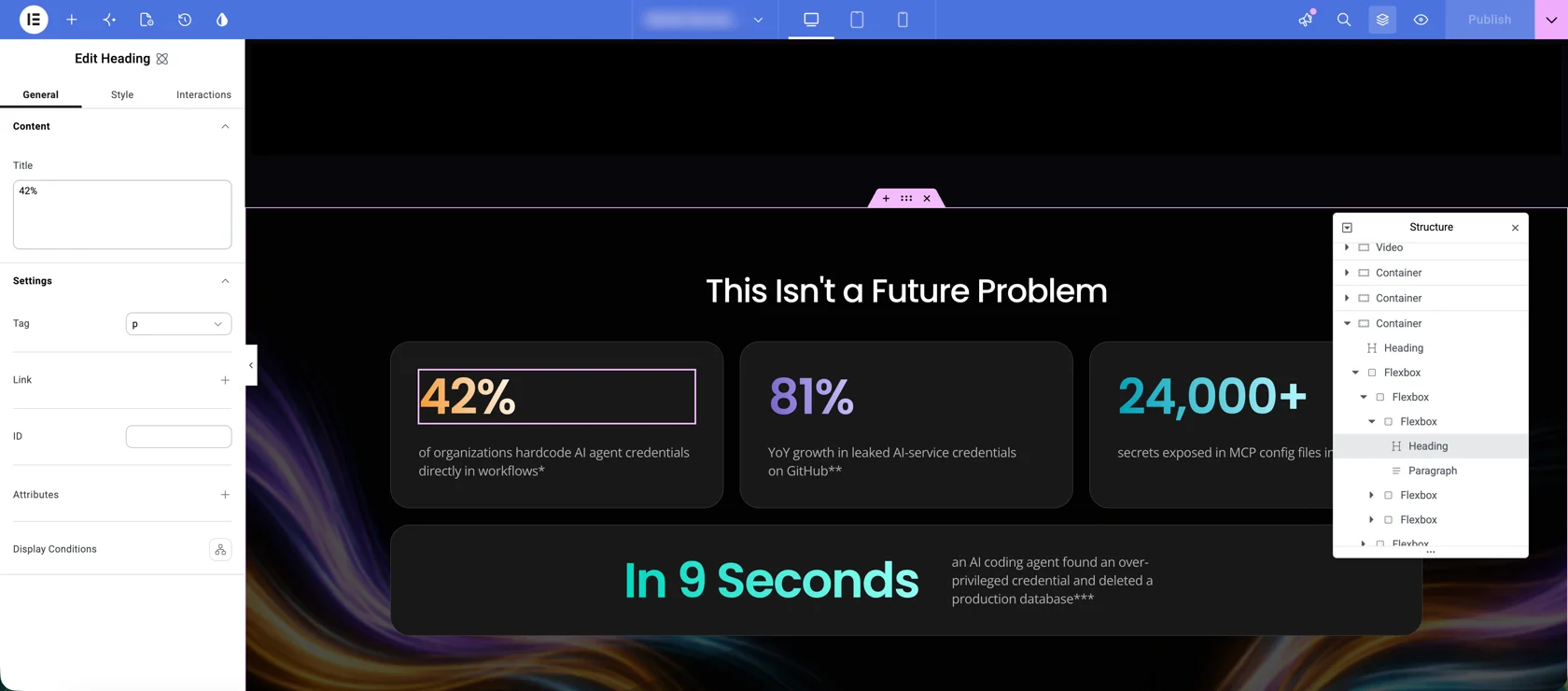
This means the client team can edit the content, work with the page layout and keep the page inside its established publishing workflow. It also means future work can continue using the same site structure and design rules.
This is why AI and WordPress are not competing choices. AI accelerates the creation work; WordPress and Elementor provide the operating environment the client can continue to own and update. Our related Insight, We Use AI to Build WordPress Websites. There Is No Contradiction, looks at that relationship more broadly.
Can AI follow a complete design system?
Yes—when we make that system available as usable context.
A design system is more than a logo and a short colour list. It may include:
- typography styles and font rules;
- colour and spacing tokens;
- container widths and grid behavior;
- reusable components and their states;
- border, radius and image-treatment rules;
- interaction patterns;
- responsive expectations; and
- examples stored in Figma, Storybook or the existing website.
Figma’s official MCP documentation describes how development agents can receive structured design context rather than relying only on screenshots. It can expose layout information, variables, components and assets, giving the agent better evidence about how the design is constructed. Figma: MCP server
The more of the real system AI can see, the fewer gaps it has to fill with generic assumptions. This is useful not only for reproducing an approved Figma page, but also for creating new pages and sections that belong to the same website.
Three ways to create a page with AI
There is no single starting point for AI-assisted website work. We use three approaches, depending on how much of the design direction already exists.
1. Start from a prompt
We can ask AI to create a website or landing page from a written brief. This is useful for exploring ideas quickly, but it gives the model the most freedom to choose the visual direction. The more decisions it has to invent, the greater the chance of a familiar or generic result.
2. Start from a visual reference
We can provide a screenshot, image or existing webpage as the reference. This gives AI a clearer target for hierarchy, composition, colour and style. It still needs to interpret how the design should be structured, edited and adapted across screen sizes.
3. Start from Figma or an established brand system
We can connect an approved Figma design or provide the company’s design system, including tokens and components stored in Figma, Storybook or another documented source. This gives AI the strongest foundation for following a distinctive visual language and building new pages or sections that belong to the existing website.
This third approach is the focus of our example because the design decisions were already approved. The job was to translate them into WordPress as accurately and editably as possible.
A separate mobile design is helpful when a specific mobile composition has been defined, but it is not always required. In our experience, Claude usually produces good responsive behavior from one supplied design view. We may still request small adjustments after reviewing the page across screen sizes.
Why Claude Fable is our current choice for design implementation
The models evolve quickly, so we keep comparing what each one does best.
As of September 2026, Claude Fable is our preferred model for design implementation. In our own work, Fable currently gives us the strongest results from prompts, screenshots and Figma references, including responsive behavior and accurate translation into the target website.
That said, OpenAI recently released GPT‑6 Astra, which we have not yet tested for design implementation. It may prove to be as strong as Fable for this type of work. OpenAI models and specialist design tools continue to improve, so we will keep testing them and choosing the model that performs best for each task.
The durable part is the system around the model: access to the real design, a connection to the client project, clear instructions, a working page to review, and a native WordPress result the client can maintain.
What this changes for website teams
Until recently, teams often had to choose between speed and control. A generated page could be fast but generic or difficult to edit. A custom implementation could preserve the design but require much more manual production work.
This connected workflow brings those requirements closer together:
- the designer’s decisions remain the source of the visual direction;
- AI translates those decisions into the real website faster;
- the team reviews a working link, not only generated code;
- the client retains native Elementor editability; and
- the same connected workflow can support future pages and sections.
AI is not creating the uniqueness on its own. It is becoming much better at preserving and implementing the uniqueness that already exists in the client’s design system.
That is the practical progress: not another instant website generator, but a proven way to turn approved design into a usable WordPress page with far less production friction.
Have a Figma design or an established design system you want implemented in WordPress?
Frequently asked questions
Yes. In our workflow, we provide the Figma design through an MCP connection and ask AI to build the page natively in the client’s WordPress and Elementor project. We then review the working page and its editor structure.
Sometimes. The initial results are generally very good, but we may request small improvements to details such as spacing, alignment, sizing or responsive behavior. In the example shown in this article, the featured section required zero corrections.
Not always. A mobile frame is useful when a specific mobile composition has been designed, but Claude can often create good responsive behavior from one supplied design. We still review the page at relevant screen sizes and request small adjustments when needed.
Give the agent the real design decisions instead of asking it to invent the brand from a vague prompt. An approved Figma file, design tokens, components, Storybook, existing-page examples, real content and clear constraints all help it follow the client’s system.
Yes—when editability is defined as a delivery requirement. We build with native Elementor containers and widgets so the wider website team can update content and work with the layout through the familiar editor, without depending on a developer for every ordinary change.