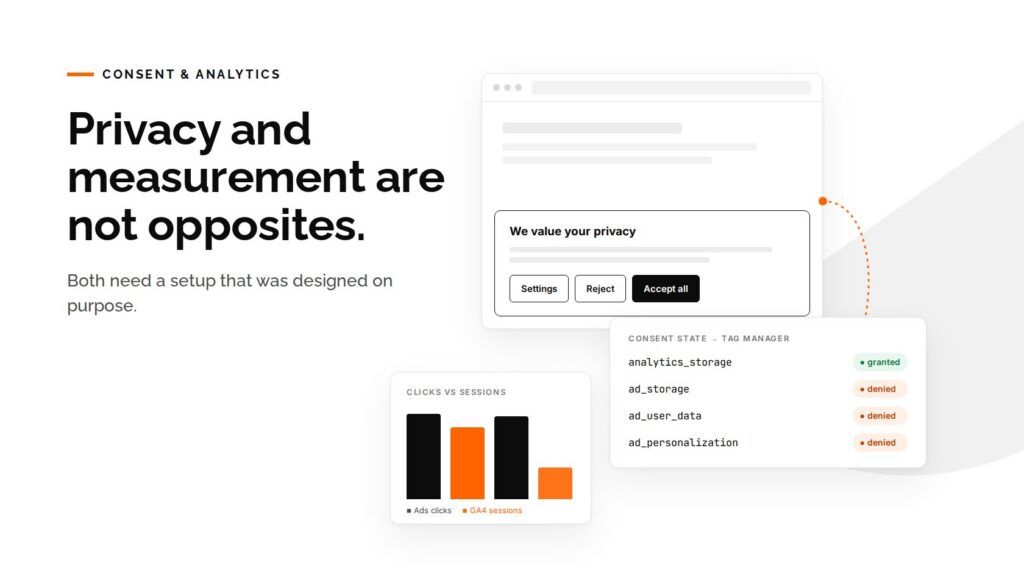

The campaign is running. Google Ads reports hundreds of clicks. GA4 shows a fraction of those sessions. HubSpot has new leads, but half of them say “Direct” or “Offline” where the campaign source should be. Someone asks whether the tracking is broken.
Often the tracking is fine, and the consent setup is fighting it.
Most B2B websites now have a cookie banner, Google Tag Manager, GA4, an ad platform or two, and a CRM. Each of these was added at a different time, by a different person, for a different reason. The banner was installed to satisfy privacy requirements. The tags were installed to measure marketing. Nobody designed them to work together.
The result is one of two problems, and sometimes both at once:
- Too little data. The banner blocks more than it should, loads too late, or treats every visitor in the world as if the strictest rules applied. Numbers drop and nobody knows which numbers to trust.
- Too much data. The banner is on the page, but nothing is wired to it. Tags fire before the visitor answers, or regardless of the answer. The site looks compliant and isn’t.
Privacy and measurement are not opposites. Both need a setup that was designed on purpose.
Why the numbers drop after a consent change
When we investigate a “missing data” report, the cause is usually one of these:
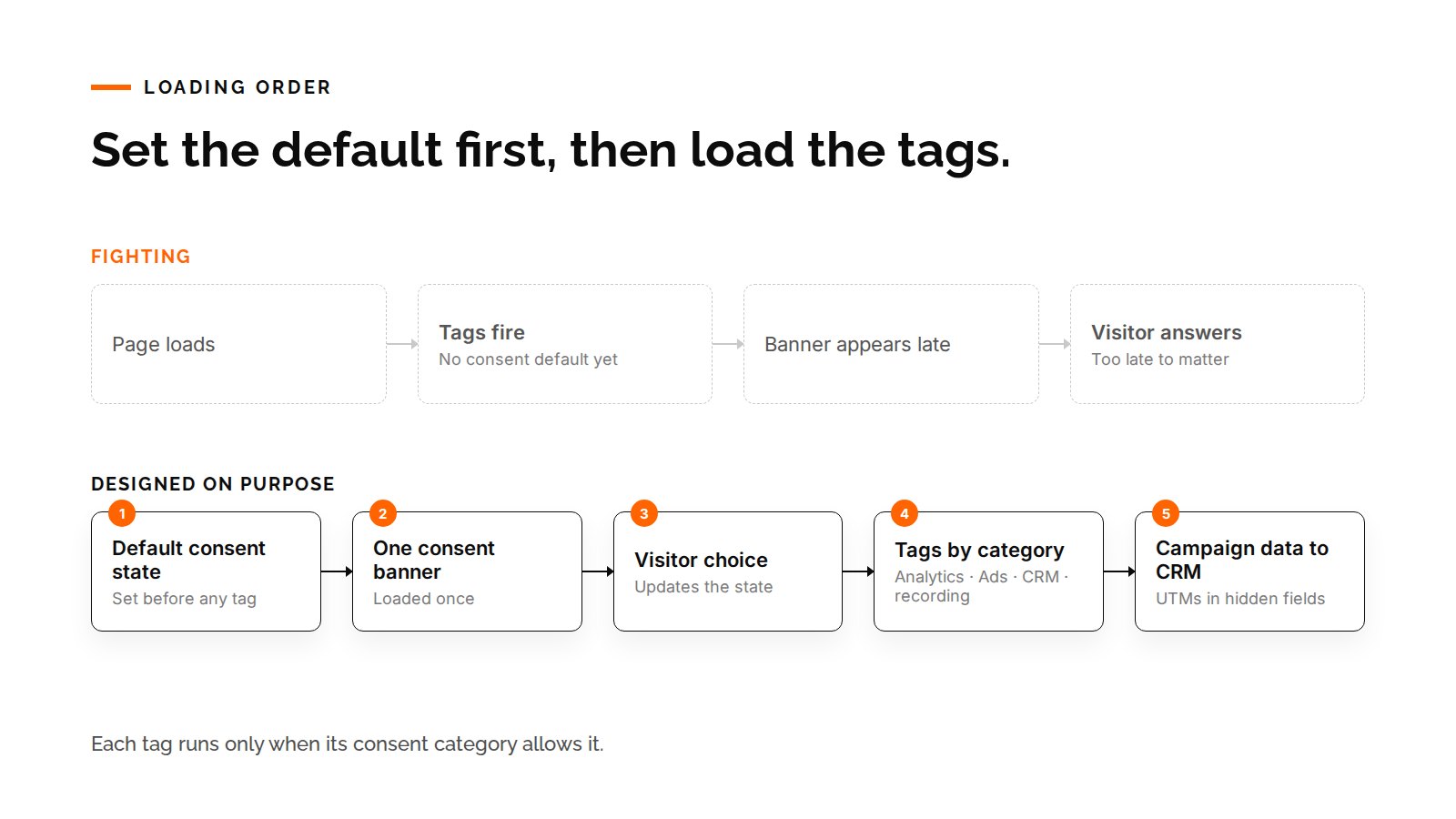
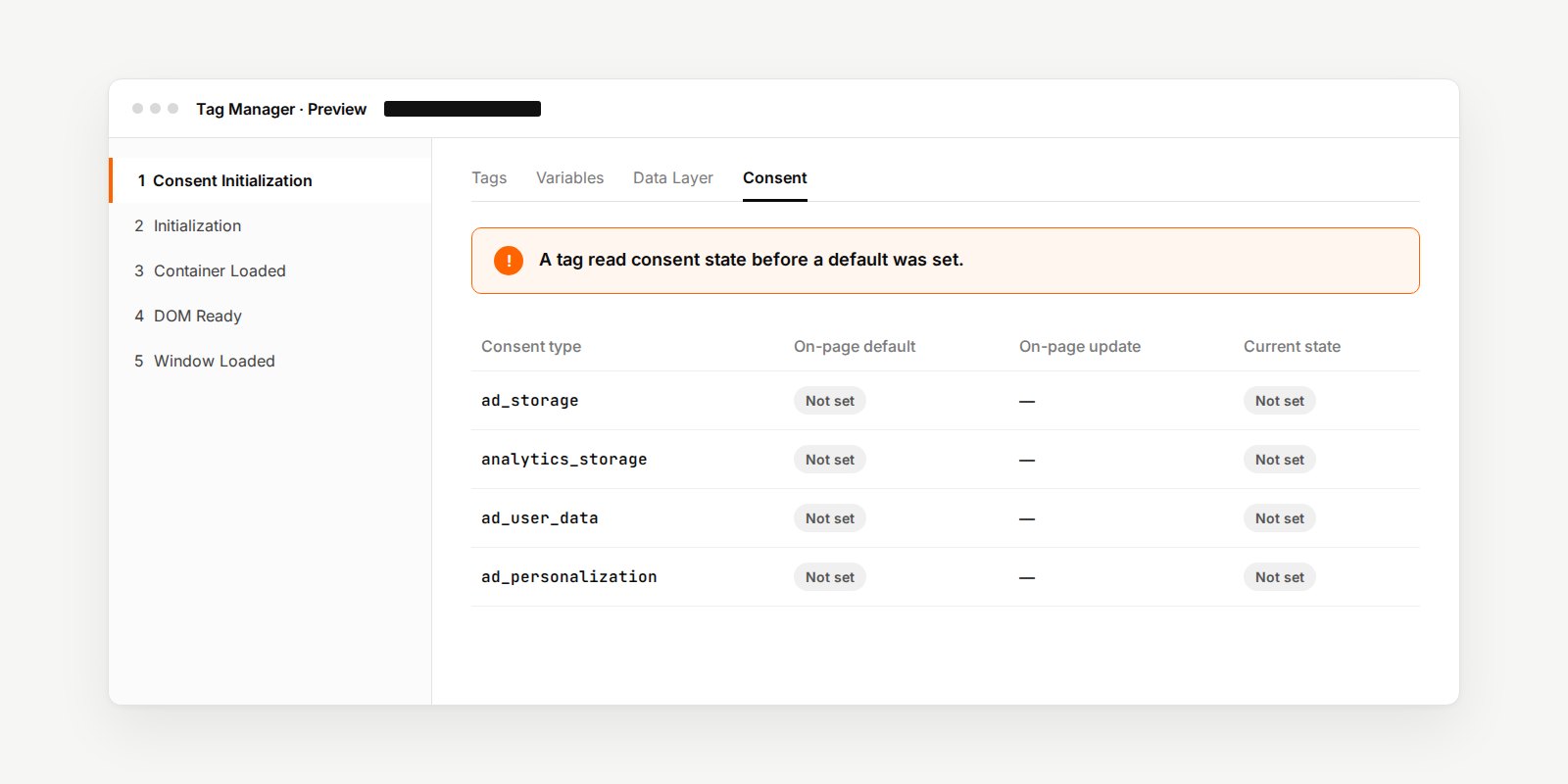
1. Tags read consent before it exists. Google Tag Manager needs a default consent state before any measurement tag runs. If the banner loads late or the default is missing, tags make decisions on nothing. GTM’s preview mode even warns about it: a tag read consent state before a default was set. This is common and easy to miss, because the site looks normal.
2. One rule for the whole world. Rules are not the same everywhere. Europe, the UK and Switzerland generally require opt-in before non-essential tracking. Many other places work differently. A site that shows the strictest banner to every visitor loses measurement it may be allowed to collect. A site that shows a light notice everywhere may break the rules in Europe. Which rules apply where is a decision for your legal or privacy owner. Making the website follow that decision accurately is technical work.
3. Two consent tools at once. A consent plugin is installed in WordPress, and a consent tag also runs through GTM. Or the CRM shows its own cookie banner beside the main one. Visitors see two prompts, or one prompt that controls only half the tags.
4. A banner that isn’t connected to anything. A banner that only shows a message blocks nothing. This happens with quickly built or AI-generated sites, and with generic notice plugins. It looks done, but behind it every tag still fires.
5. Consent mode is set up, but nobody checked which mode. Google Consent Mode has a basic setup, where Google tags wait until the visitor agrees, and an advanced setup, where tags load with consent denied and send limited signals that Google uses for modeling. Both are valid choices, and they produce very different numbers. Teams often don’t know which one they have.
6. The campaign source gets lost on the way to the CRM. Even when analytics works, the enquiry can arrive in the CRM without its campaign. UTM parameters drop on a redirect. The form is embedded in a way that can’t read them. A returning visitor’s original source is overwritten by the last click. Consent categories decide which cookies the CRM may use to connect the visit to the form.
What a setup that works looks like
There is no single correct configuration. There is a correct process. These are the practical steps we follow:
Start from the policy, not the plugin. Write down, in plain language, what should happen for visitors in each region. Who sees a full consent banner, who sees a notice, and what may run before they answer. Your privacy owner approves it. Everything technical follows from that document.
Use one consent path. Choose one consent management platform and load it once. Remove duplicate plugins and banners. If the CRM has its own consent feature, decide whether it follows the main banner or is switched off.
Set the default first, then load the tags. The default consent state must be in place before GTM evaluates any tag. Then each tag, including Google, ad pixels, the CRM and session recording, is mapped to a consent category, so it runs only when that category allows.
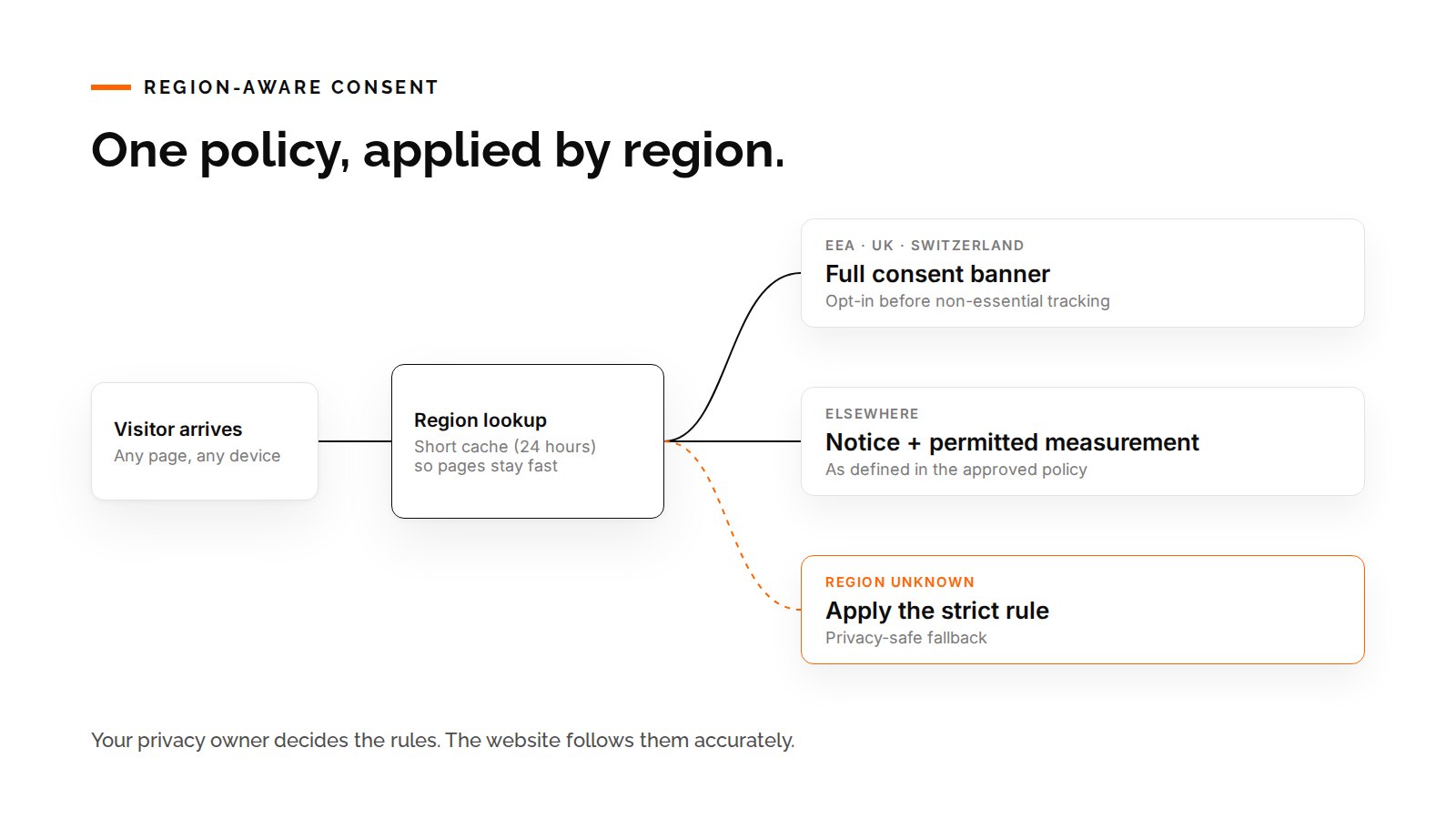
Route by region if your policy differs by region. A region-aware setup can show the full banner where opt-in is required and a lighter notice elsewhere. It needs three safeguards:
- a reliable way to detect the visitor’s region
- a short cache so the lookup doesn’t slow every page
- a privacy-safe fallback: if the region can’t be determined, apply the strict rule
Protect the campaign data separately. Capture UTM parameters when the visitor lands. Keep them through the session, and pass them into hidden form fields so the CRM receives them with the enquiry. Keep existing values instead of overwriting them, and fill only what is missing. Respect the visitor’s consent choice while doing it.
Test like a visitor, from more than one place. Testing from your own office shows you one region only. Check the setup from a European location and a non-European one, on desktop and on mobile. Use GTM preview to confirm which tags fired under which consent state. Then submit a test form and confirm the campaign source arrives in the CRM.
Write down what “normal” looks like. After the change, record the expected relationship between ad clicks, analytics sessions and CRM leads. Some gap between them is always normal. Without a baseline, every future dip turns into an investigation from scratch.
A real example from our experience
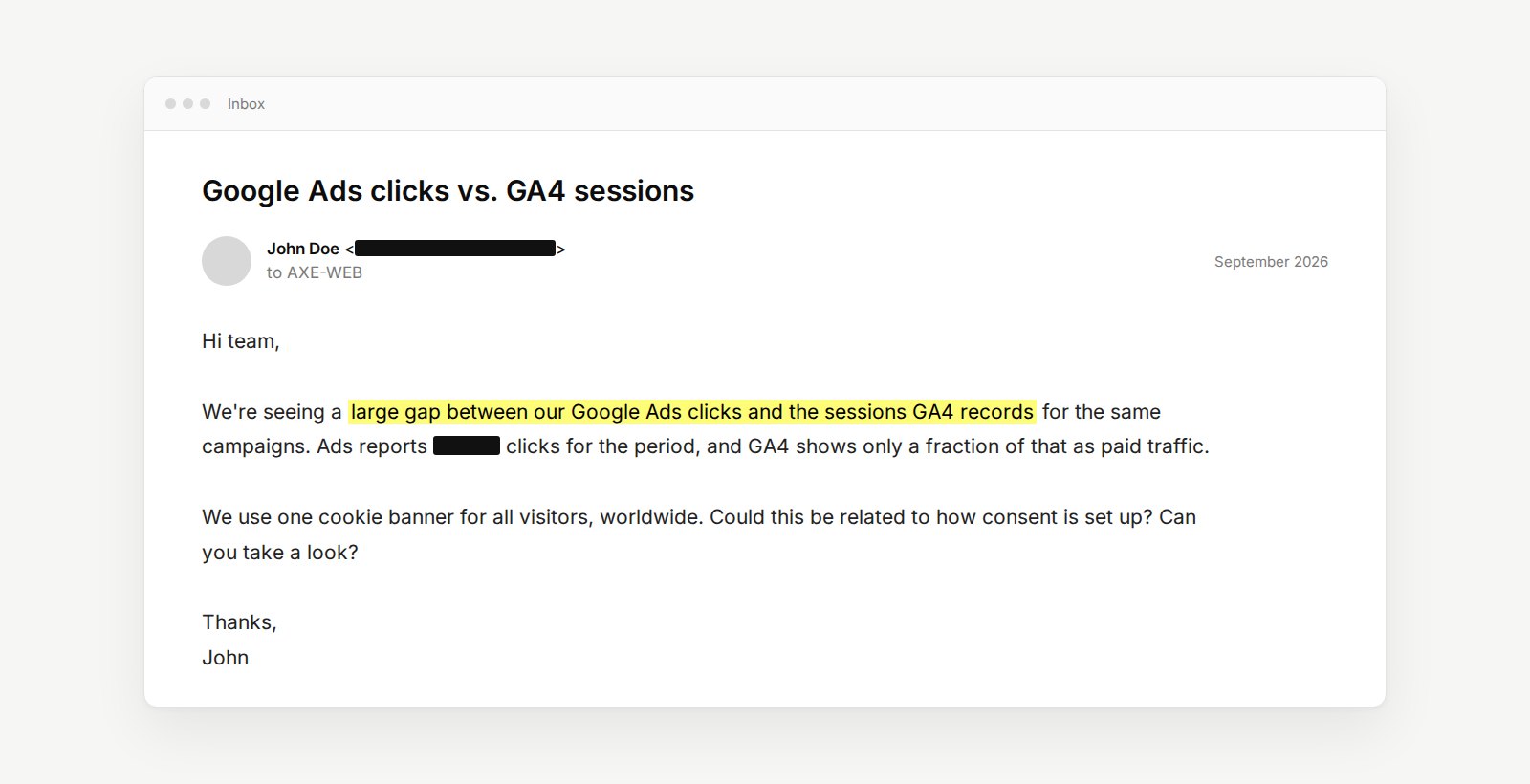
A B2B software company saw a large gap between its Google Ads clicks and GA4 sessions. It had one consent setup for every visitor in the world.
We replaced it with a region-aware setup. The full consent banner appears in Europe, the UK and Switzerland, and a notice with permitted measurement elsewhere. A region lookup runs with a 24-hour cache, and a strict fallback applies when the region is unknown. GA4 and Google Ads tags follow the resulting consent state. We verified the behavior from European and non-European test locations before release.
Two lessons came later:
- Configuration is not a one-time job. A follow-up review found that the default consent state was not set early enough. GTM had been warning about it, and the fix was in the loading order, not in the banner itself.
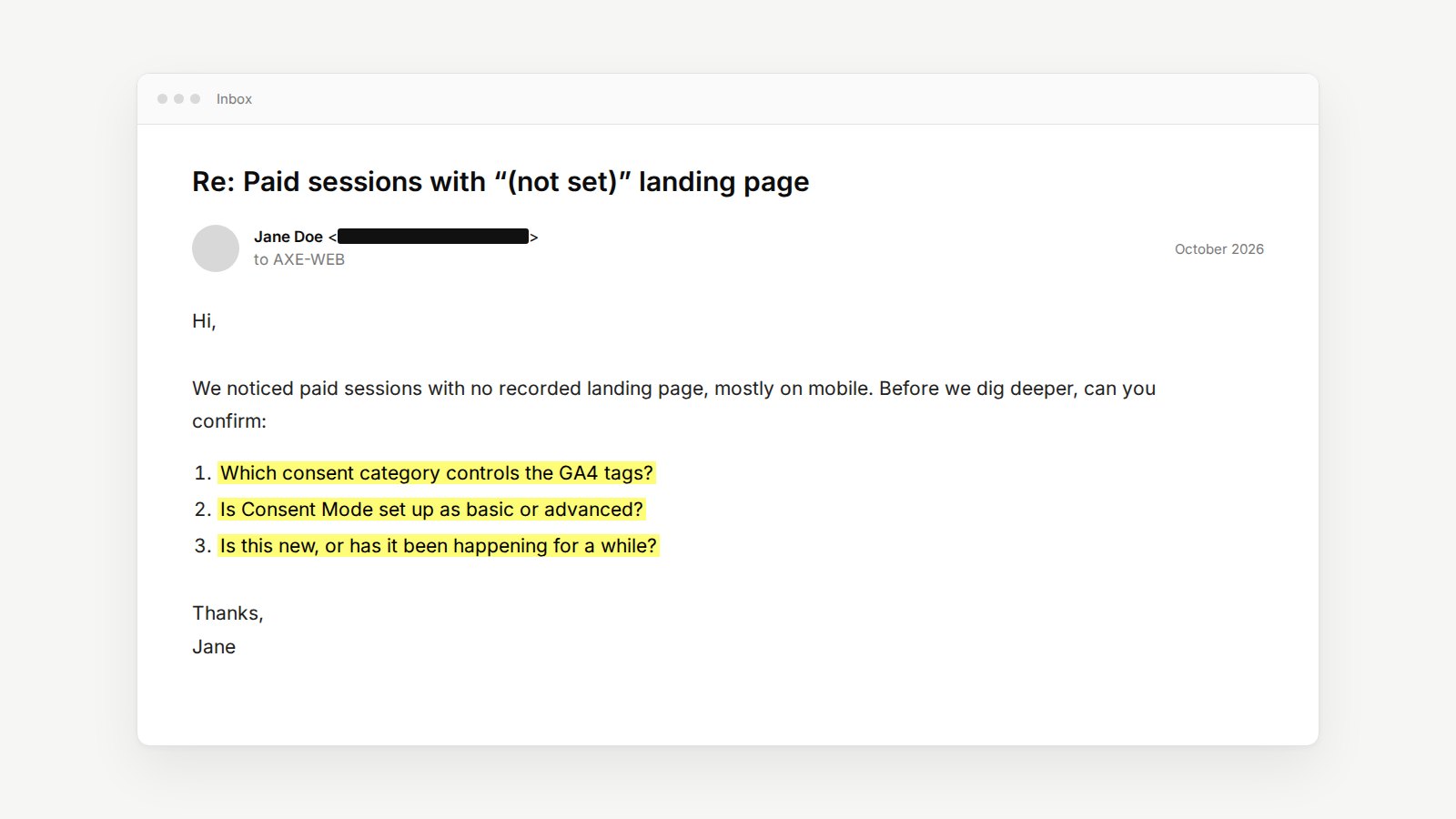
- Ask more than one question. When the marketing team noticed paid sessions with no recorded landing page, mostly on mobile, they asked the right questions: which consent category controls the GA4 tags, is consent mode basic or advanced, and is this new or longstanding? Those three questions are a good starting point for any team.
A quick check you can do this week
You don’t need to be technical to start. Ask whoever manages your website:
- Which consent tool do we use, and is it loaded only once?
- Is our consent behavior the same for every country, and is that what our privacy owner decided?
- Is a default consent state set before Tag Manager runs any tags?
- Is Google Consent Mode set up as basic or advanced?
- If a visitor declines, which tags still run, and should they?
- When someone submits a form, does the CRM record which campaign brought them?
- When was this last tested from outside our own country, on mobile?
If the answers are “not sure”, the numbers in your year-end report deserve a second look before anyone makes a budget decision based on them.
How AXE-WEB can help
Consent and analytics sit exactly where the website meets marketing, privacy and the CRM. That is the layer we work in every day. We can:
- review your current consent, Tag Manager, analytics and CRM setup, and show where they conflict
- implement the policy your privacy owner approves, including different behavior by region
- fix loading order, duplicate tools and unconnected banners
- protect campaign data from the landing page into the CRM
- test from real regions and devices, and document what “normal” looks like
You decide the policy. We make sure the website follows it, and that your marketing numbers still mean something.
FAQs
No. If visitors decline tracking, that data should be missing. The goal is that you lose only what the policy requires, and that you know which gaps are expected and which are errors.
No. Your legal or privacy owner decides what the policy is. We implement it accurately and verify that the website follows it.
It can be, if it is correctly connected to Tag Manager and to every tag on the site, and no other banner is competing with it. The plugin is a tool, not the setup.
They measure different things. A click is not always a session: the visitor may leave before the page loads, decline tracking, or block scripts. A small, stable gap is normal. A large or sudden one is worth investigating.