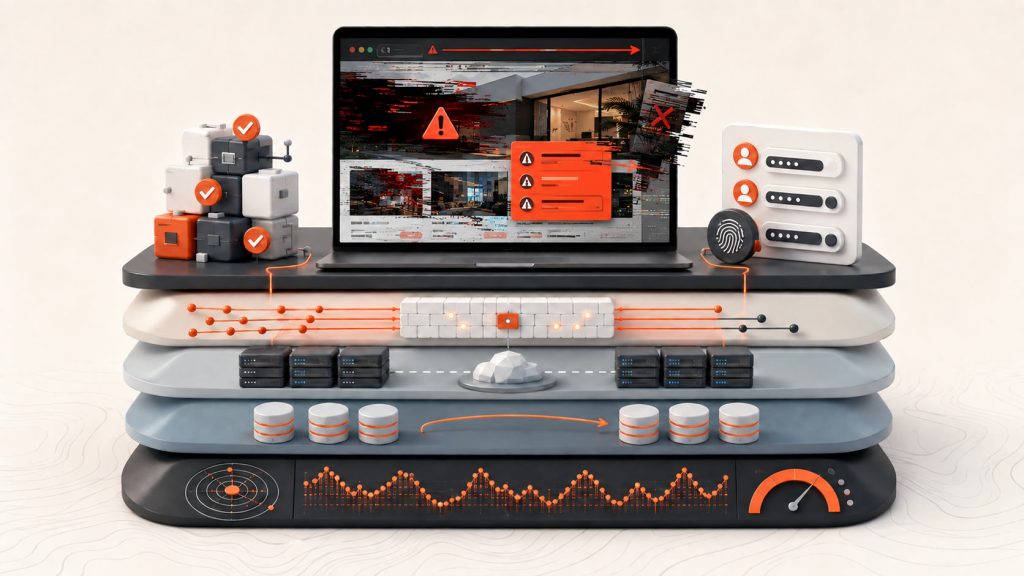

Website attacks rarely arrive at a convenient time.
Recently, a business was referred to us after its WordPress website was hacked. It had marketing support, but no development team clearly responsible for WordPress maintenance, hosting controls or incident response. When the problem appeared, the marketing agency did the right thing and brought in technical help.
This is a common ownership gap. A website may be central to lead generation, customer communication and brand credibility, but responsibility for its technical health can remain unclear until something goes wrong.
A compromised website needs more than a quick malware scan. The immediate goal is to contain the incident and restore a trustworthy service. The longer-term goal is to understand how the attacker got in and reduce the chance of the same route being used again.
If this is happening now: document the symptoms, preserve available logs and a pre-cleanup snapshot, contact the host or technical partner, restrict unsafe access where appropriate, and avoid random destructive edits. If customer, personal or payment data may be involved, bring in appropriate incident-response and legal or privacy expertise.
Website attacks are not new, but AI is accelerating familiar methods
Cyberattacks existed long before generative AI. It would also be irresponsible to assume that AI caused a particular WordPress incident without evidence. What has changed is the speed and scale at which familiar tasks can be performed. The UK National Cyber Security Centre assesses that AI will make intrusion activity more effective and efficient, including reconnaissance, social engineering, vulnerability research and exploit development. Google Threat Intelligence has similarly observed threat actors using generative AI mainly to support common work such as research, troubleshooting, coding and content creation—not to invent an entirely new category of attack. For website owners, the practical lesson is simple: known weaknesses can be found and exploited faster, so routine security work cannot wait until the next redesign or maintenance window.
How can you tell whether a WordPress website has been hacked?
Sometimes the signs are obvious. Visitors may be redirected to an unrelated website, browsers may display a malware warning, or search engines may flag the domain. Other compromises are quieter and designed to remain unnoticed. Warning signs can include:
- unexpected redirects, pop-ups or spam pages;
- unfamiliar administrator accounts;
- injected links or scripts;
- unexplained changes to files or database content;
- forms or checkout journeys behaving differently;
- a sudden traffic or performance change;
- security warnings from the host, browser or search engine;
- outbound email or server activity nobody recognizes.
One symptom does not reveal the full scope. An altered homepage may be only the visible part of a compromise, while a backdoor, scheduled task or stolen credential allows continued access.
What should you do first after discovering a hacked WordPress website?
The first response should be controlled. Randomly deleting files, reinstalling plugins or restoring the newest available backup can remove useful evidence without removing the attacker’s access.
1. Document what you can see
Record the symptoms, when they were first noticed, recent website changes, alerts and relevant messages from the host or search engine. Save screenshots and note which URLs, accounts or customer journeys are affected.
2. Contain the incident
Depending on the situation, containment may mean placing the site in maintenance mode, blocking malicious traffic, restricting administrative access or temporarily disabling a compromised service. The right action depends on the business impact and whether personal or payment data may be involved.
3. Preserve a protected snapshot
Before destructive cleanup, preserve copies of the compromised files, database and available logs. These can help determine what changed, support recovery and prevent the only evidence from disappearing during cleanup.
4. Determine the scope and likely entry route
A WordPress compromise can begin through an outdated or abandoned plugin, vulnerable theme, stolen password, compromised staff device, excessive administrator access, unsafe upload, server weakness or supply-chain problem. Investigation should extend beyond the most visible malicious file.
5. Clean or rebuild from trusted components
Recovery can involve removing malicious files, database injections, rogue users, scheduled tasks and other persistence. In some cases, rebuilding the site in a clean environment from trusted source files and carefully validated content is safer than trying to repair every changed component in place.
6. Close the way back in
Patch, replace or remove the vulnerable component. Correct unsafe configuration and permissions. Remove unused software and dormant accounts. If the original weakness remains, a clean website can be compromised again.
7. Rotate access and secrets
Change the credentials and invalidate sessions that could have been exposed. Depending on the incident, this may include WordPress, hosting, database, SFTP or SSH, email, DNS or CDN, deployment and third-party API access. Credential changes should happen from trusted devices.
8. Verify the business journeys and monitor
Test forms, CRM connections, analytics, ecommerce, consent tools and other important integrations—not only the homepage. Then monitor logs, users, files, traffic and security alerts for signs of recurrence. If the incident may involve personal, payment or otherwise regulated data, the business should involve appropriate incident-response and legal or privacy expertise. Technical cleanup alone does not answer notification or compliance questions.
Removing malware is not the same as recovering the website
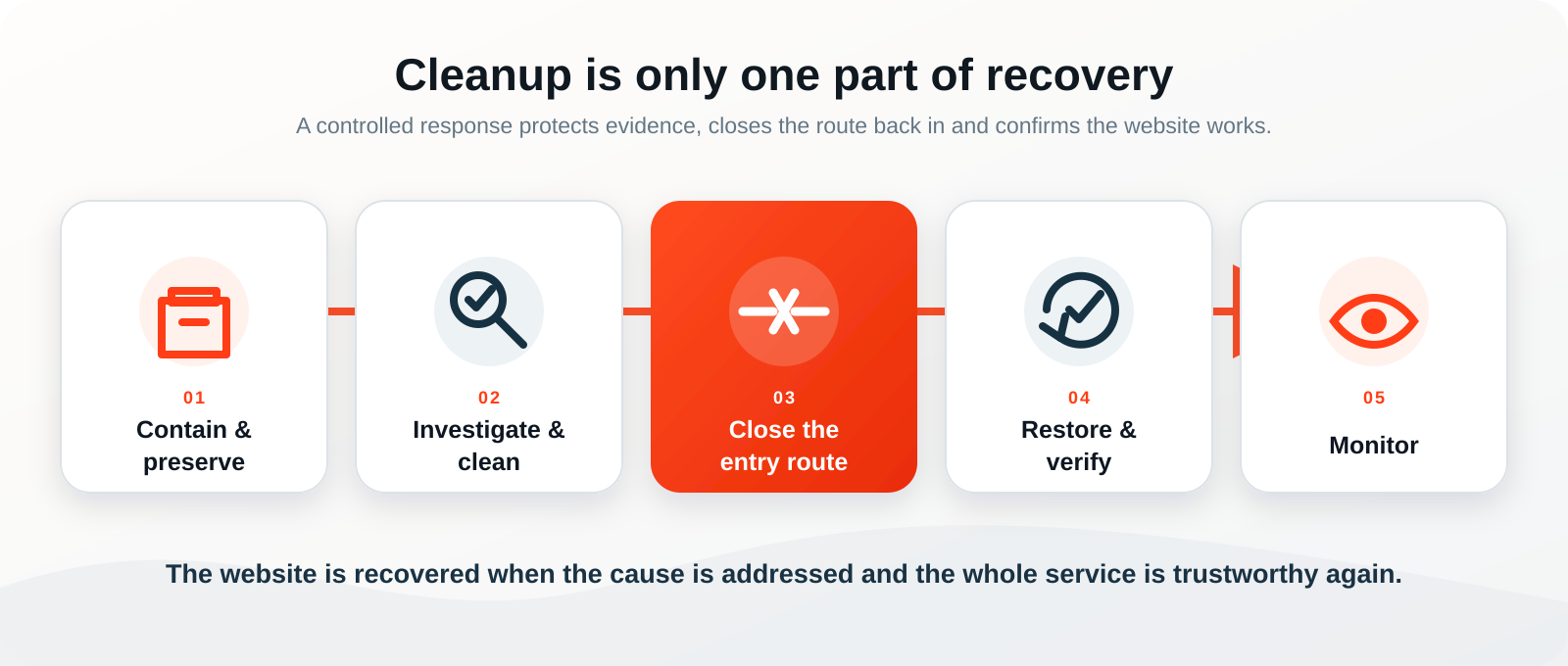
This distinction matters: malware removed does not necessarily mean website recovered. A scanner or cleanup service may remove artifacts it recognizes while missing a dormant backdoor, malicious scheduled task, altered database record, stolen credential or compromise outside the WordPress directory. Restoring a backup can be useful, but it is not automatically a security fix. The backup may already contain the compromise, and an older clean copy can be attacked again if the vulnerable plugin, stolen password, compromised device or server weakness remains. A trustworthy recovery therefore has two connected parts:
- Remove or replace the compromised components and restore correct operation.
- Identify and close the route that allowed the compromise, then verify and monitor the result.
How do WordPress websites commonly get hacked?
WordPress itself is only one part of the system. Risk is distributed across the core platform, plugins, themes, hosting, configuration, user access and the devices people use to administer the website. It also extends through connected systems and integrations such as forms, CRM, email, analytics and APIs. Common routes include:
- outdated WordPress core, plugins, themes, PHP or server software;
- abandoned, unnecessary or untrusted extensions;
- weak, reused, phished or otherwise stolen credentials;
- too many administrator accounts or access that was never removed;
- a compromised computer belonging to an employee or supplier;
- unsafe file permissions, exposed services or weak hosting isolation;
- malicious uploads, database injection, backdoors or compromised software dependencies.
This is why “we installed a security plugin” is not a complete security plan. A plugin can be one useful control, but it cannot own updates, validate backups, remove former users, secure every external account or coordinate an incident.
Eight security layers that reduce risk and improve recovery
No responsible developer can promise that a website is impossible to hack. The goal is layered risk reduction and a recovery process that has already been considered before it is needed.
1. Give technical security a named owner
Someone must be accountable for updates, alerts, backups, access reviews and incident decisions. This may be an internal developer, a maintenance partner or a clearly defined combination of the business, host and agency.
2. Apply updates promptly and safely
Maintain WordPress core, plugins, themes, PHP and server software. Updates should be tested in proportion to the website’s complexity, but known vulnerable software should not remain exposed indefinitely.
3. Reduce the attack surface
Remove unused plugins and themes rather than merely deactivating them. Replace unsupported components and avoid software from untrusted sources. Every unnecessary component creates another dependency to monitor.
4. Secure every route into the website
Use unique passwords stored in a password manager, enable multifactor authentication where available, and protect hosting, SFTP or SSH, DNS and deployment access—not only WordPress administrator accounts.
5. Use least privilege
People who publish content do not usually need full administrator access. Give each person and supplier only the permissions required for their work, and remove dormant accounts quickly.
6. Choose responsible hosting and use a firewall where appropriate
Good hosting contributes maintained infrastructure, account isolation, useful logs, recovery support and secure configuration. A web application firewall can filter some malicious traffic before it reaches WordPress. Neither replaces website-level maintenance. We have explained this shared responsibility in more detail in WordPress Hosting: Protect the Traffic You Pay For.
7. Keep separate, recoverable backups
Backups should be protected from the same account or server failure that affects the live site, retain enough history to reach a known-clean point and be tested through restoration. An untested backup is only a hope.
8. Monitor for unexpected changes
Useful monitoring can include file-integrity changes, new users, failed logins, redirects, malware warnings, unusual traffic and server or application logs. Alerts need a person who knows what to do with them.
Who owns WordPress security when there is no development team?
Security responsibilities are often divided, but they should not be ambiguous.
- The business owns risk decisions, supplier access and the question of who is accountable.
- The marketing team or agency may own content and campaigns, and should know where to escalate technical warnings.
- The hosting provider owns specific infrastructure controls defined by its service—not every plugin, account or integration in WordPress.
- A development or maintenance partner can own application updates, technical monitoring, backups, recovery testing and incident response within a clear agreement. If that ownership is missing or no longer working, a business can change its WordPress development partner without rebuilding the website.
The important question is not whether one supplier does everything. It is whether every important responsibility has an owner and whether the handoffs are understood.
How AXE-WEB helps with hacked WordPress websites
We help businesses move from an alarming symptom to a controlled technical response. Our broader WordPress services include ongoing website maintenance, monitoring and security work. Depending on the incident and the access available, our work can include:
- urgent WordPress triage and containment;
- an evidence-preserving backup before cleanup;
- malware investigation and removal;
- a clean rebuild or trusted restoration when appropriate;
- coordination of password, session and secret rotation;
- remediation across WordPress, plugins, themes, PHP, hosting and access;
- firewall, backup, monitoring and hardening setup;
- testing forms, CRM, analytics and important website journeys;
- ongoing maintenance and clearly assigned technical ownership.
Not every incident can be reconstructed exactly, and no website can be made hack-proof. Good recovery replaces guesswork with a documented process, closes the weaknesses that can be identified and leaves the business better prepared.
If your WordPress website has been hacked
If you see unexpected redirects, unfamiliar users, malware warnings or unexplained changes, avoid making random edits that may destroy evidence or leave the entry route open. Contact AXE-WEB to investigate, contain, clean, recover and harden your WordPress website—and establish ongoing technical ownership to reduce the chance of the same problem returning.
Frequently asked questions
Common signs include unexpected redirects, spam pages, unfamiliar administrator accounts, injected scripts, browser or search-engine malware warnings, unexplained file changes and abnormal server activity. Some compromises are deliberately quiet, so the absence of an obvious warning does not prove the site is clean.
Document the symptoms, restrict harmful activity where possible and preserve a protected snapshot of the files, database and available logs before destructive cleanup. Then investigate the scope and entry route. Avoid random file deletion or an unverified restore that can remove evidence without removing attacker access.
A technically experienced owner may resolve a small, well-understood incident, but visible malware may not be the full compromise. Professional help is appropriate when the entry route is unclear, access is limited, the site handles important customer data, the infection returns or business-critical integrations are involved.
Only if the backup is genuinely clean and all compromised components are replaced. Even then, restoration does not fix the vulnerable plugin, stolen credential or configuration weakness that allowed the attack. The entry route must also be closed before the restored site can be trusted.
Repeat infection usually means the initial cleanup missed a persistence mechanism or the original access route remains open. Possibilities include a backdoor, rogue scheduled task, database injection, stolen credential, compromised device, vulnerable extension or weakness outside the WordPress installation.
No. Updates can patch known vulnerabilities, but they do not reliably remove malicious files, users, database changes or stolen credentials that are already present. A compromised site needs investigation and cleanup or a clean rebuild in addition to updates.
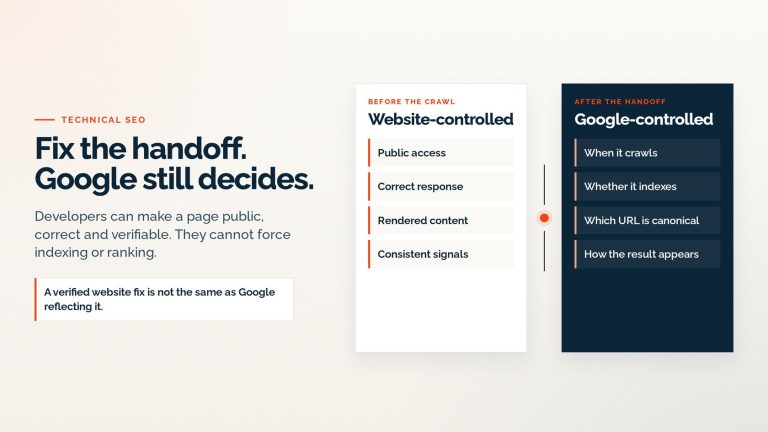
Yes. Spam pages, malicious redirects and browser or search-engine warnings can cause pages to be labelled, hidden or blocked and can damage visitor trust. After the website and the underlying vulnerability have been fixed, check Google Search Console’s Security Issues report and request a review when applicable. Fix the whole compromise rather than only the sample URLs shown in a warning.
Managed hosting can reduce risk through maintained infrastructure, isolation, backups, filtering and expert support. It cannot guarantee prevention or control every plugin, password, administrator, third-party integration and user device. Hosting is one layer of a broader security system.
They can block or detect some attacks, but neither provides complete protection. Security also depends on updates, access control, supported software, secure hosting, separate backups, monitoring and a clear response owner.
The decision depends on the scope, available evidence and whether trusted source files and clean content are available. A focused cleanup may be suitable for a contained incident. A clean rebuild can be safer when many components changed, persistence is unclear or trust in the existing environment cannot be re-established.
There is no reliable universal timeframe. It depends on the website’s size and complexity, the type and duration of the compromise, hosting and log access, available backups, integrations and whether the original entry route can be identified. A fast scan is not the same as a verified recovery.